
- Payments
The Best Payment Setup for Market Stalls and Mobile Businesses
With Tap to Pay on Zeller App, your iPhone or Android works as a portable card reader, with no terminal to buy or rent.
Zeller charges one low, flat fee per tap on every card, including American Express, with no lock-in contract.
Accept contactless cards, Apple Pay, Google Pay and smartwatches, plus PIN entry for larger payments.
Funds settle nightly into your Zeller Transaction Account, or the next business day into your chosen bank.
Tap to Pay uses your smartphone’s cellular network or WiFi, so, as long as you’re connected to either, you won’t miss a sale.
If you’re looking for an affordable, portable card reader for your market stall or mobile business in Australia, this article is for you.
Whether you’re selling candles, coffee, or cat grooming, if you’re not taking payment from the same fixed location, then you need a card payment solution that is quick, cheap, and easy to carry. Chasing invoices and bank transfers is not a viable solution.
The good news is that you may not need to buy or rent a card machine at all. With Tap to Pay on Zeller App, your mobile phone becomes a portable card reader. Your customer simply taps their card or digital wallet on the back of your phone, and you're paid on the spot. No extra hardware, no terminal rental, and no follow-up invoices.
What is Tap to Pay, and how does it work as a portable card reader?
Tap to Pay is a feature within Zeller App that uses the NFC technology already built into your phone, the same technology behind Apple Pay and Google Pay. Instead of paying from the phone, your customer pays to it. The result is a portable card reader, small enough to slip into an apron pocket, and one that you’ll never forget.
It works on any Android phone with NFC, and on any iPhone XS or later running iOS 16.4 or higher. You'll just need a free Zeller Account and an internet connection, either Wi-Fi or mobile data.
Six reasons market traders and mobile sellers use Tap to Pay with Zeller
1. There is no hardware to buy, rent, or maintain
You already own the device, so there are no upfront costs, no monthly terminal rental, and nothing extra to carry. Download the app and you're ready. Not needing a separate machine means there’s one less thing to charge and transport.
2. It accepts every contactless payment your customers use
Customers can tap a contactless debit or credit card, Apple Pay, Google Pay, or another digital wallet. For purchases above the contactless limit, they simply enter their PIN on your phone's screen.
3. The pricing is simple and predictable
Zeller charges one flat fee of 1.4% per transaction on all cards, including American Express. There are no lock-in contracts or exit fees, so you can use it every weekend, once a month, or only for the summer market season. It costs nothing to leave it idle.
4. Your whole team can take payments
Staff can accept payments on their own Android or iPhone devices, all linked to one business account. You decide what each person can see, so sensitive account details stay protected.
5. It includes a free point-of-sale system
Zeller POS Lite comes built in to Zeller App. It’s a free mobile point of sale that lets you build an item library with names, prices, descriptions and images, which speeds up checkout and gives customers itemised receipts. And if you already have a product list, you can simply import it with a CSV file. Receipts can be sent to customers by SMS or email, so there's no paper to run out of.
6. You can track sales and manage transactions
The Zeller Dashboard and Zeller App show your payments and expenses in one place, with analytics and trend reports. If you use Xero, every sale and settlement flows into your accounts through a bank feed, so you don’t need to do any manual importing.

How much does Tap to Pay cost?
Tap to Pay with Zeller App costs 1.4% per transaction for all cards including American Express. There is no fee to download the app, no monthly subscription fee, no lock-in contract, or minimum transaction requirement. You will only ever be charged when your customer pays you.
What cards are accepted with Tap to Pay?
Using Tap to Pay with Zeller App allows you to accept all major cards including Visa, Mastercard, American Express, eftpos, JCB, and China UnionPay. Customers can also use Apple Pay and Google Pay – they simply hold their device to your phone, just like they would with a regular card reader.
How secure are payments accepted with Tap to Pay?
Tap to Pay uses the same NFC technology as in-store terminals and is compliant with the Payment Card Industry Data Security Standard (PCI DSS). Transactions are encrypted end to end and processed in real time. No sensitive card information is stored on your phone, so every tap is protected for you and your customer.

How to get started with Tap to Pay
Zeller Tap to Pay works on any Android phone with NFC, as well as any iPhone XS or later running iOS 16.4 or higher. Follow these steps to get started:
1. Download Zeller App
With Zeller App you’ll be able to accept payments and manage your business finances from anywhere.
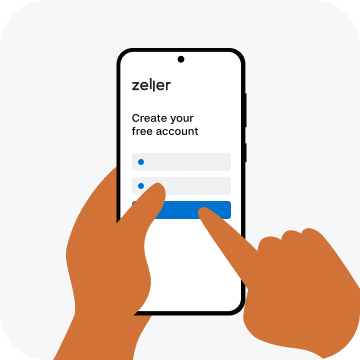
2. Create your free Zeller Account
Follow the prompts to open your account then complete the verification process.
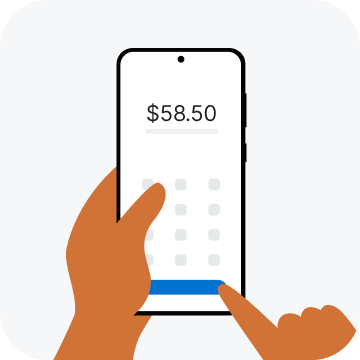
3. Enable Tap to Pay
Select ‘Tap to Pay’ from the left hand side menu and follow the prompts to set it up.
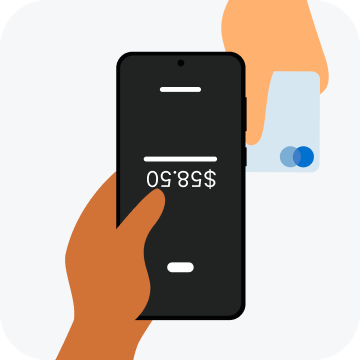
4. Start accepting payments
Once Tap to Pay is set up, simply enter the payment amount and let your customer tap their card, phone, or wearable against your smartphone to complete the transaction.


