Zeller Business Account

Business accounts, without the fees, or the bank.

Zeller Business Account

Open a free business account online in minutes, not days.

Manage your business funds, create unlimited debit cards, and track your cashflow.

computer icon

Fast setup

Get up and running with a sort code and account number in minutes.

Card acceptance icon

Freedom to spend

Issue a Zeller Debit Card instantly to make purchases in-store and online.

Zeller - Money Icon

Simplified finances

Manage your business finances effortlessly from one account.

Icon Accounts

Real-time visibility

See transactions, expenses, and income with real-time reporting.

Zeller - Savings Account

A business account with all the features, and none of the fees.

Designed for
Sole tradersLimited companiesGeneral partnershipsTrusts
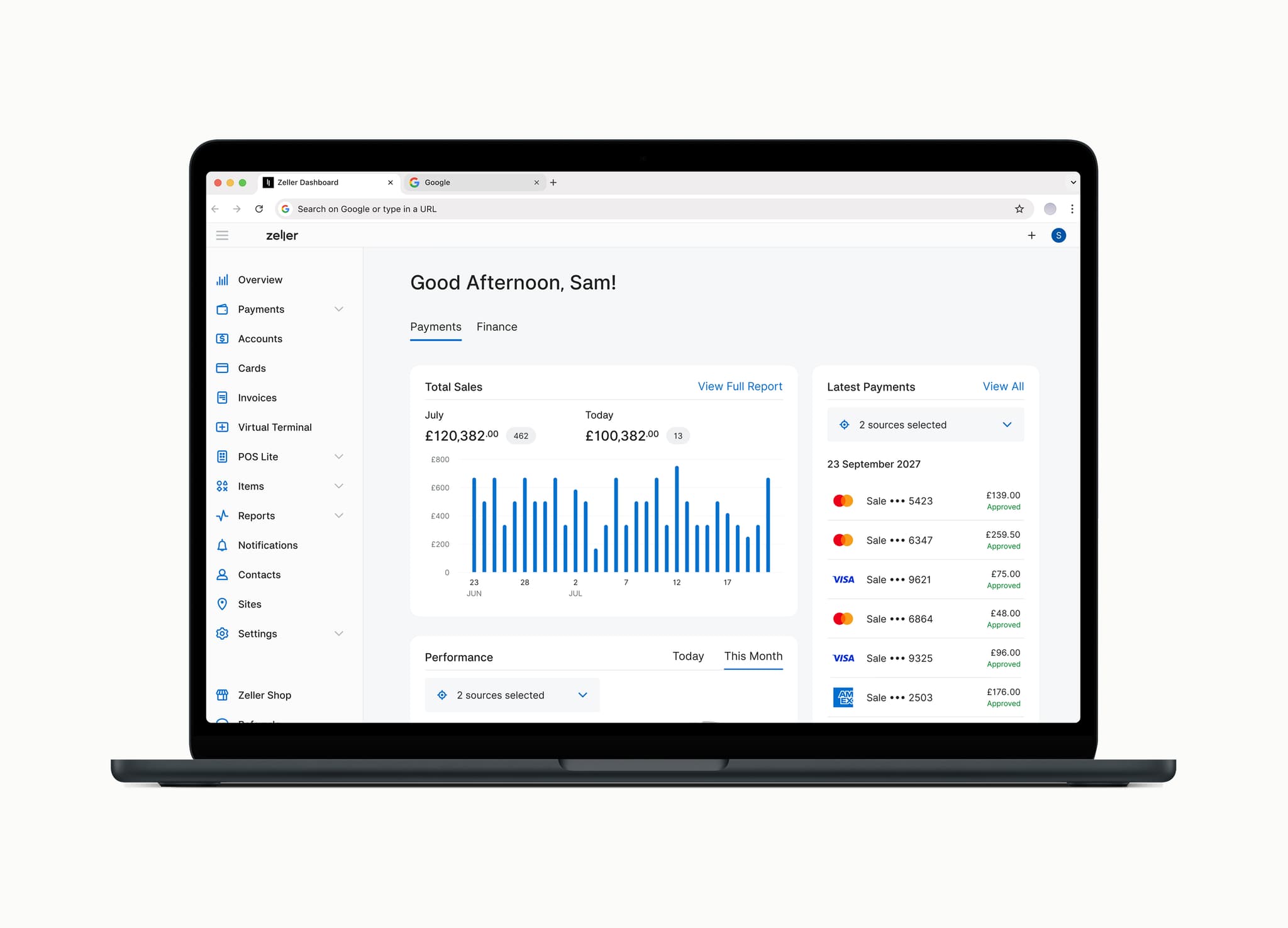
Reporting - Zeller Dashboard

Reporting

Expense Management

Debit Cards

Transactions

DesktopMobile
DesktopMobile

Zeller helps you do more with your money.

Accounts

With unlimited sub-accounts, you can split your funds into separate buckets for tax, payroll, marketing, and everyday spending, so your money's always organised.

Zeller - Transaction Account UK

Cards

Issue unlimited cards to your team (no account signatories required) and track every transaction in real time from one dashboard or the Zeller App.

Zeller - Debit and Corporate Cards UK

Integrations

Your transaction and settlement data syncs directly into Xero Bank Feeds, so reconciliation happens automatically, reducing your admin time.

Zeller - App UK

Create a free business account in minutes

Add New Accounts instantly - Zeller App
Create and account nickname
Choose Avatar - Zeller App
Manage your Accounts - Zeller App

Reduce admin with automatic transfers

Set up one-time or recurring transfers so payments happen automatically, whether it's monthly wages, rent, or paying suppliers, with the option to skip a payment whenever you need to.

Scheduled and Recurring Transfer

Turn sales into business spending

Every Zeller Business Account comes with a free Zeller Debit Card, so you can start spending the moment your funds land. Issue unlimited cards to your team, add them to Apple Pay or Google Pay instantly, and track every transaction in real time from your Dashboard or the Zeller App.

tg-2507-117-zdc-payment-uk-mobile

Track every expense

Know exactly where your money's going. Build customer and supplier profiles, assign transactions, and track spending across every card, then see it all at a glance, with a 90-day balance trend and cash position across every sub-account

zeller-contact-directory-mobile-crop-uk

See why UK businesses love Zeller

Schnitzel Heaven Merchant

Everything runs through our Zeller Business Account now: payments in, payments out, all in one place. The debit cards mean the team can cover small purchases on the spot without needing cash or waiting on approval from me.

Samet Aksoy, Schnitzel Heaven


Hoxton, London

Original Bagel Merchant

Having the Zeller Business Account and debit cards has made managing money day-to-day so much easier. Staff can use the card for small purchases when needed, and it all shows up in the one account, so I'm not chasing receipts or trying to remember what was spent.

Ercan Aksu, Original Bagel

Barbican, London

Support that never sleeps

Live phone support

24 hours a day, 7 days a week.

Get in touch

Get instant answers

Visit the Zeller Support Centre.

Search now

Open your free Zeller Business Account online

Zeller Dashboard, Terminal 1x, Zeller App

Check your eligibility

Zeller Business Accounts are suitable for:

  • Sole traders

  • Limited companies (LTD)

  • General partnerships and LLPs

  • Trusts

Zeller Dashboard, Terminal 1x, Zeller App

Sign up for free

Have your ID and business documents ready

  • Valid government-issued photo ID document (passport, driving licence)

  • Proof of your address (council tax bill, utility bill, or bank statement) issued in the last three months.

  • Registered business name and trading name (if different)

  • Trading address

  • Companies House registration number (if applicable)

  • Any other relevant business documents (trust deeds, partnership agreements, or business bank statements, if applicable)

Zeller Dashboard, Terminal 1x, Zeller App

Add funds

Transfer funds to create your opening balance. There's no minimum deposit, so you can start with as little or as much as you like. Simply add funds by bank transfer using your unique sort code and account number.

Please note that Zeller does not support the Current Account Switch Service (CASS), but switching is easy. You'll be automatically provided with a sort code and account number so you can update any regular payers or direct debit transactions.

Zeller Dashboard, Terminal 1x, Zeller App

Issue a debit card

Create a free Zeller Debit Card instantly and start spending immediately.

  • Add it to Apple Pay or Google Pay for instant contactless spending

  • Issue unlimited free cards for staff, with no account signatories required

  • Set individual spending limits per card

  • Track every transaction in real time from your Dashboard or the Zeller App

Frequently asked questions

If you operate as a Limited Company, yes, because your company is a separate legal entity, its finances must be kept separate from your personal finances. If you're a sole trader or general partnership, it's not a legal requirement, but it's still recommended: it makes bookkeeping, tax returns, and splitting profits or tracking business performance much simpler than mixing everything with personal finances.

You'll need a valid government-issued photo ID (passport or driving licence), proof of address issued in the last three months (council tax bill, utility bill, or bank statement), your registered business name and trading name (if different), your trading address, and your Companies House registration number if you're a limited company. Depending on your business structure, you may also need supporting documents such as a partnership agreement or trust deed.

Switching to Zeller is quick and straightforward, even without automatic switching support. Zeller doesn't currently support the Current Account Switch Service (CASS) — the free service that automatically transfers your direct debits, standing orders, and payee details when switching between banks — so you'll need to move things across manually. Most businesses have everything sorted within a few days, using this simple checklist:

  1. Download your statements. Save a copy of your recent transaction history from your old account for your records, before you start moving anything across.

  2. Update your recurring payers. Once your Zeller account is open, you'll get a unique sort code and account number. Use these to update your direct debits, standing orders, and any regular payers or invoicing details.

  3. Transfer your remaining balance. Once everything's updated and confirmed, transfer any remaining funds from your old account into your new Zeller Business Account.

Most businesses complete the process in less than 10 minutes. As soon as your identity is verified, you'll have full access to your Zeller Dashboard, and your Zeller Business Account, complete with its own sort code and account number.

If you are already accepting payments with a Zeller card machine, then you will automatically have a Zeller Business Account. Simply visit Zeller Dashboard and click on Accounts in the sidebar.

Here's what you need to know about Zeller Business Account, and why it holds up well against high street banks.

Business account eligibility

Zeller Business Account is built to work for a wide range of business structures:

  • Sole traders

  • Limited companies (LTD)

  • General partnerships and LLPs

  • Trusts

Documents needed to open a business account

Opening a Zeller Business Account is straightforward, and can be done entirely online with no branch visit required. You'll typically need:

  • A valid government-issued photo ID (passport or driving licence)

  • Proof of address issued in the last three months (council tax bill, utility bill, or bank statement)

  • Your registered business name and trading name, if different

  • Your trading address

  • Your Companies House registration number, if you're a limited company

  • Any other relevant business documents, such as a partnership agreement or trust deed, depending on your structure

Business account fees

Many traditional business accounts charge a flat monthly fee just to keep the account open, plus additional costs once you exceed a free transaction allowance (electronic transfers, ATM withdrawals, and in-branch transactions). Zeller Business Account removes this cost altogether: no monthly fees, no minimum balance, and no hidden charges.

Business debit cards for your team

With many high-street banks, adding a card for an employee means adding them as a full account signatory — giving them access to the entire account, not just the funds you want them to spend. Zeller Business Account lets you issue unlimited debit cards to staff for free, without making them signatories, so your team gets the access they need to spend while you keep full control and visibility over the account.

Business banking app and dashboard

Many banks use the same app for personal and business customers, which means the experience isn't always designed around how a business actually operates. Zeller Dashboard and Zeller App are built specifically for business use — giving you real-time visibility of transactions, letting you manage cards and transfers on the go, and putting reporting front and centre.

Financial reporting and cash flow tools

Understanding your cash flow is one of the most important parts of running a business, and Zeller Business Account is built to make it easier. Get clear, visual reporting that lets you identify trends over time, see spending broken down by category or sub-account, and assign transactions to specific contacts. A 90-day balance chart and an at-a-glance view of your cash position across every sub-account and card means you can spot issues and opportunities and act on them.

Business account features

Beyond simply holding your funds, Zeller Business Account helps reduce your financial admin:

  • Unlimited sub-accounts let you separate tax savings, payroll, or supplier funds into their own dedicated buckets, without opening accounts elsewhere

  • Scheduled and recurring transfers let you automate regular payments like wages, rent, or supplier invoices, so nothing gets missed

  • Xero Bank Feeds integration syncs transaction and settlement data automatically, making reconciliation simple

  • Built-in contact and invoicing tools let you track shared transaction history with customers and suppliers in one place, rather than piecing it together after the fact

Switching your business account

If you're already banking elsewhere, it's easy to switch to Zeller Business Account. Zeller doesn't support the Current Account Switch Service (CASS) — the free service that automatically transfers direct debits, standing orders, and payee details when you switch between participating banks — but switching over is still simple. Once your Zeller Account is open, you'll be given a sort code and account number that you can use to manually update your regular payers and direct debits.