&w=3840&q=75)
- Point of Sale
Best POS Systems for UK Businesses in 2026: The Ultimate Point-of-Sale Guide for Retail, Restaurants and More
The best POS system is the one that fits the way your business operates.
Small businesses often do not need complex tools or expensive software subscriptions.
Easy-to-use POS systems can reduce training time and make onboarding easier.
Understanding the full cost upfront helps avoid unexpected fees later.
24/7 human support is important when payment issues impact sales and customer experience.
Skip ahead
Important considerations when choosing the best POS system for your businessBest POS systems by industryConclusionWith dozens of point-of-sale (POS) systems on the UK market with similar features, finding the best POS system to your business may seem like an impossible task, but we are here to help.
The first step is working out what POS features your business actually needs.
It's the question that matters most, and the one most guides skip. Get it right and the choice is easy. Get it wrong, and you either outgrow your system within months or, more commonly, pay for a powerful platform and only ever use a fraction of it.
This guide will teach you how to compare POS systems, then put some of the most popular options for retail, hospitality and service businesses side by side, so you can find the right fit before you book a demo.
Important considerations when choosing the best POS system for your business
Hardware
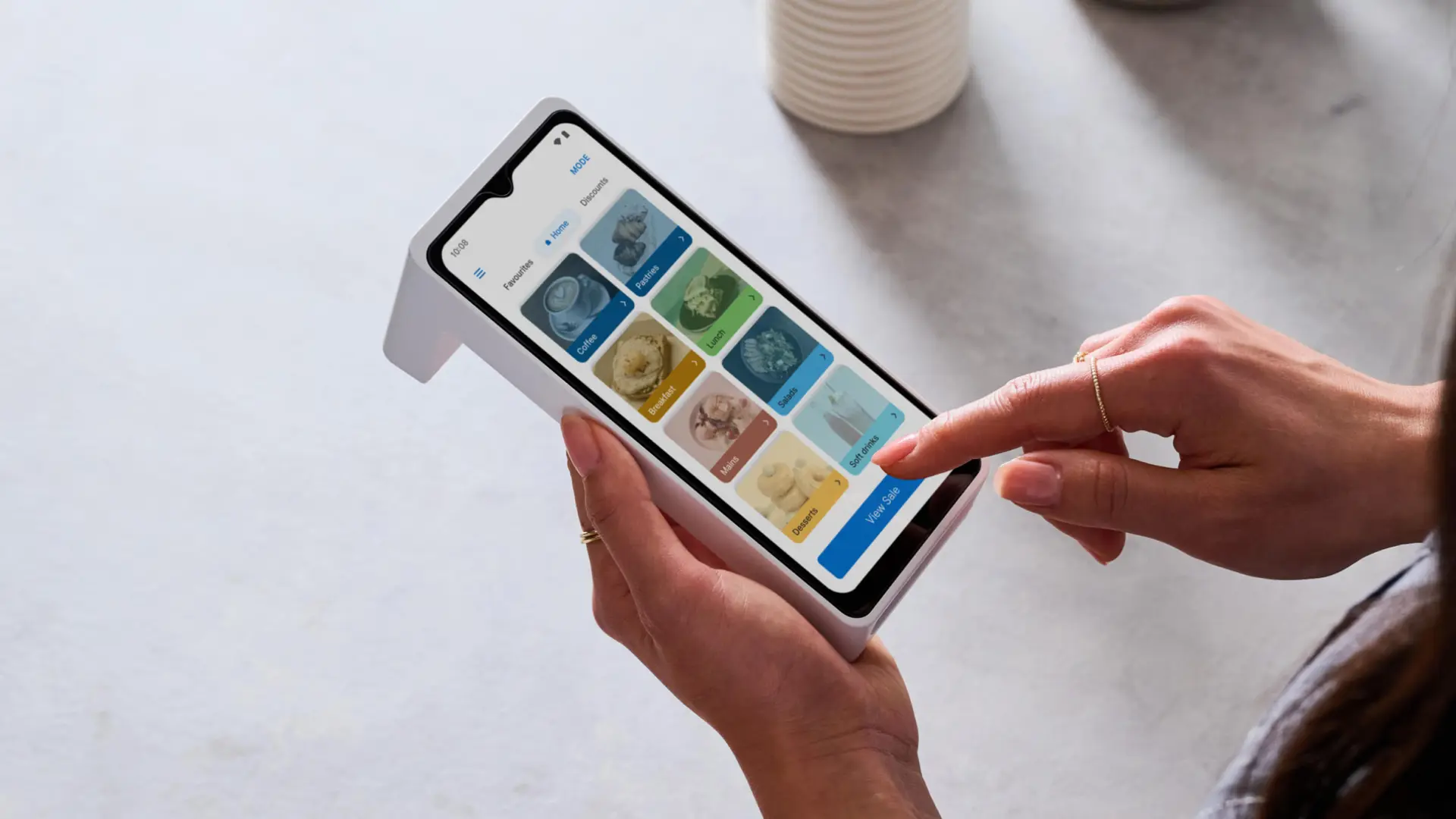
POS hardware refers to the physical devices used as part of your point-of-sale system. This may include a display or tablet, a receipt printer, a barcode scanner, a cash drawer, and a card machine. While larger businesses with complex operations require a robust setup, simpler businesses can operate using just a smart card machine like Zeller terminals, which come with a POS lite system out of the box.
Portable card machines, such as Zeller Terminal 2, which includes a free, built-in POS system, are often referred to as mobile POS (mPOS) systems. They allow businesses to manage inventory, take payments, and send receipts from a single device.
Software
Functionality plays a major role in your decision. Retail businesses require inventory management features to help track stock levels, monitor best sellers, and manage purchasing more efficiently. Large hospitality businesses require features such as table management, kitchen workflows, or reservation support.
Other POS features worth considering include sales reporting, employee management, customer relationship management (CRM) tools, and industry-specific functionality designed for retail, hospitality, beauty, or service-based businesses.
Ease of use
A POS system should help your team be more efficient, not add complexity to day to day operations. Choosing simple, easy to use interfaces and providers that offer training material and support to your teams will make the transition to a new system smoother and improve efficiency in busy periods.
Integrations
While integrations should be an important factor to your decision, having hundreds of integrations available is not a clear signal of a better solution.
If you rely on only a small number of core systems day to day, for example, having additional integrations will not bring extra value. And, you need to be mindful of increasing costs, as several third party tools charge additional subscription fees, meaning you could end up paying individually for POS software, invoicing, CRM tools, reporting platforms and even your business bank account.
An all-in-one setup can be more practical and cost-effective to your business. Zeller POS Lite is built free into Zeller T1X and T2, and beyond giving businesses access to a free POS tool, a Zeller account also provides a free business account, debit and expense cards, invoicing solutions and more.
Customer support
If an issue arises during service, being able to quickly contact your provider can help you avoid losing sales. Our recent study shows that 43% of UK adults abandon purchases when they have payment issues. Not being able to contact support and resolve issues quickly could cost your business hundreds, or even thousands of pounds. .
A few questions you should ask before choosing a POS provider:
Do they offer human support?
What are the support hours?
Are onboarding and setup support are included?
If there is a support centre with help articles and troubleshooting guides?
Is support is available remotely or on-site?
Do they provide an account manager?
Traditional POS systems require in-person installation, while newer cloud-based systems can be set up remotely with minimal downtime. With many companies moving to questionable AI support, you may find it difficult to find solutions to issues you experience. Pay attention to the service levels they provide and, if possible, choose companies that offer 24/7 human support, as Zeller does.
Multi-location management
Do you operate across multiple locations, or plan to expand in the future? If so, it’s important to choose a POS system that can support multi-site operations.
Features such as pushing updates across multiple devices, viewing reporting from all locations in one place, and managing stock transfers between sites help keep operations running smoothly as your business grows.
Cost
POS pricing structures vary significantly depending on the hardware, software, features, and payment setup required.
Before committing to a provider, it’s important to understand:
Whether hardware is purchased outright or rented
If software fees are charged monthly or annually
Whether support and maintenance costs are included
If transaction fees apply to card payments
Whether there are lock-in contracts or minimum terms
Understanding the full cost upfront helps you avoid unexpected charges later on.
&w=3840&q=75)
Best POS systems by industry
Below highlights the best POS systems for UK businesses across retail, hospitality, quick-service restaurants, bars, and salons. For a full breakdown of features and integrations, it’s worth contacting the provider directly or booking a demo before making a decision.
*This comparison is up to date as of May 2026. Please note that new features are added to software frequently. For the most up-to-date information, please consult the provider’s website.
Conclusion
There's no single best POS system, only the right fit for how you trade. The bigger platforms in this guide earn their place in busy, multi-site or complex operations, where you'll genuinely use everything they offer. But for many small and medium-sized businesses, all that power just means added complexity and stacked-up software subscriptions you don't need.
If your priority is to take payments, track sales and serve customers quickly, Zeller POS Lite is built for exactly that, bringing payments, POS tools, reporting, item management and printed or digital receipts into one place, built into Zeller Terminal 1X and Terminal 2, with no monthly POS software fees, lock-in contracts or setup costs.
&w=3840&q=75)
Pay low transparent fees with Zeller.
• Simple, transparent pricing
• No hidden contracts or lengthy paperwork
• No subscriptions or hardware rental costs
• Reliable, modern hardware
• 24/7 customer support via phone, email, and SMS
• Real-time reporting from desktop or mobile app
• No chargeback fees
&w=3840&q=75)