- Business Growth & Optimisation
How to Create an Invoice: The Ultimate Guide for Beginners
An invoice is a formal bill listing goods/services, amount owed, and payment terms.
Include your business and client details, invoice number, date, and company number if needed.
Itemise services or products with quantities, prices, subtotals, and applicable VAT.
Clearly state the total amount due and expected payment terms.
Using invoicing software like Zeller Invoices simplifies creation, tracking, and payments.
When you start a business, you probably don’t think much about how to invoice your clients. But this can be an essential task to get you paid for the first time, and to get paid on time.
If this is your first attempt, creating and sending your first invoice can feel a bit daunting, but don’t worry, we are here to help you understand the basics and how to create professional invoices in a few easy steps.
In this ultimate beginner’s guide, we’ll explain what an invoice is, why they’re important and walk you through on how to create and send invoices.
You’ll find out why good invoice design matters, and how purpose-built invoicing software like Zeller Invoices can make the whole process much easier. By the end, you’ll be invoicing like a pro.
What is an invoice? Understanding the basics.
An invoice is a bill you send to a client for goods or services you’ve provided. It details what was provided, how much is owed, who needs to pay whom, and by when. Invoices create a formal record of a sale – they’re not just paperwork, but a critical part of managing your business’s finances.
Why are invoices so important?
For one, they help you get paid, and also help you organise your cashflow and taxes.
A clear invoice tells your client exactly what to pay and by when, making it more likely you’ll receive payment on time. Proper invoicing also helps you maintain accurate records to ensure you meet your tax obligations. Invoices are often required for taxes and accounting. They serve as evidence of income when you file your tax returns.
If you don’t get your invoicing right, it can result in delays that can seriously impact your business. Research has shown that late payments cost UK small businesses around £11billion in a year.
In short, a well-made invoice not only gets you paid faster, it helps keep your business organised and compliant.
How to create an invoice from scratch.
Below is a step-by-step breakdown of how to create an invoice from scratch. You can use a word processor (like Microsoft Word or Google Docs), a spreadsheet (like Microsoft Excel or Google Sheets), or a digital invoicing solution like Zeller Invoices. The key is to include all the necessary details and present them clearly.
1. Start with your business information:
At the top of the invoice, include your business name (or your own name if you’re a sole trader) and contact details. This normally means your address, phone number, and email. If you have a logo, adding it to the invoice gives a professional touch. We recommend to add your Registered Company Name and Company Number on the invoice – we’ll explain why this is so important in the next section.
2. Add your client’s information:
Next, list the recipient’s details. Include your client’s name (or business name) and their address. For businesses, it’s good practice to include their company number as well, especially for larger invoices. Including the customer’s details personalises the invoice and ensures it’s clear who is being billed. It also helps you and the client to keep records.
3. Assign an invoice number and date:
To help you track payments and refer to specific jobs, every invoice should have a unique invoice number, e.g. INV-01, INV-02, etc.
Also include the date of issue (the date you’re sending the invoice). Invoice numbers and dates are crucial for record-keeping. They allow you to track your invoices chronologically and are helpful if you need to follow up on unpaid bills or sort out any confusion.
4. Describe the goods or services provided:
Provide a clear, itemised list of what you’re billing for. In a simple table or list form, include each product or service, along with a short description, the quantity, and the price for each item or unit.
Being specific here is important – it reminds the client exactly what they’re paying for, and prevents misunderstandings.
5. Calculate subtotals and include VAT (if applicable):
You should show the subtotal (the sum of all item prices) and any VAT, if applicable, on your invoice.
VAT, value added tax, is a tax on most goods and services in the UK. You should indicate the amount of VAT included in the price or add it on as a separate line.If your business is VAT-registered, a Tax Invoice must either show prices as VAT-inclusive with a note like “Total price includes VAT,” or list the VAT amount separately for each item or for the subtotal. If you’re not registered for VAT, never add VAT or label your invoice as a Tax Invoice — simply call it an Invoice. Charging VAT without registration is illegal.
Since different products and services may have different VAT rates, itemising your bill and indicating how much VAT was charged per each line item is a great way to keep everything organised for accounting purposes.
Read our guide to learn more about VAT here.
6. Show the total amount due:
This is the amount you’re asking the client to pay. It’s usually in bold or otherwise highlighted for clarity. It’s a good idea to add a word like ‘due’ to subtly reinforce that action is required.
7. Specify payment terms and due date:
This is a critical part of the invoice. Payment terms tell your client how and when to pay you. Common payment terms for small businesses might be “Payment due 14 days from invoice date” or “Net 30 days” (meaning the client has 30 days to pay). Choose a timeframe that suits your cash flow needs and industry norms – 7, 14, or 30 days are typical for many freelancers and small businesses. Also, do the maths and clearly state the due date by which you expect payment.
Along with the due date, include your accepted payment methods. For example, you might write “Please make payment via bank transfer to the account below” and then provide your sort code and account number. If you accept other methods – such as credit or debit card or even cheque – list those options as well. Providing multiple payment options can make it easier for the client to pay promptly.
8. Add any additional notes:
Many invoices include a short note or memo at the bottom. This could be a polite ‘thank you’ message, which adds a friendly touch. You might also include any other relevant details here, such as “Please include the invoice number as a reference when making payment”, which is helpful for matching payments to invoices.
If your client is a larger organisation, they often require a purchase order (PO) number to be added to invoices, this is an internal number they use to match different charges to different departments and projects.
Once you’ve added all the above, give your invoice a final proofread. Make sure names are spelled correctly, amounts are right, and nothing is missing. If everything looks good, your invoice is ready to send!
How to simplify your invoicing with Zeller Invoices.
Now you know what goes into an invoice and how to create one, and there’s nothing wrong with using a Word template or an Excel spreadsheet and manually filling in all the details as discussed above.
However, there are much faster (and easier) ways to send an invoice. Zeller Invoices is an excellent choice for business owners looking to make invoicing more efficient and get paid faster. In fact, over 75% of Zeller Invoices are paid within just 24 hours.
What is Zeller Invoices?
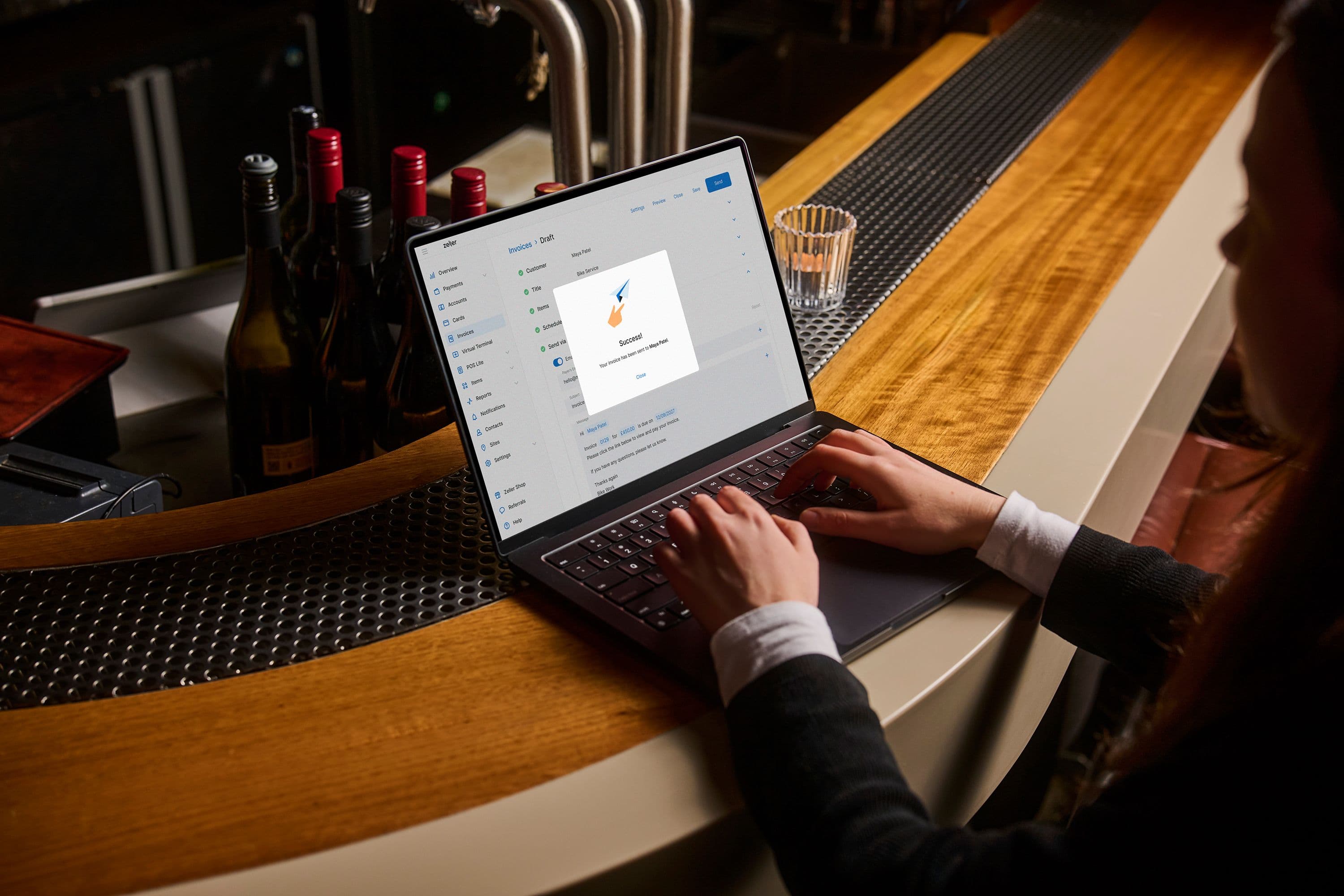
Zeller Invoices enable you to create and send professional invoices in just a few clicks. Having a free Zeller Account gives you access to this powerful invoicing solution via your computer, or from your smartphone using Zeller App. This means you can generate an invoice from anywhere – super handy for when you’re doing business on the go.
Key benefits of using Zeller Invoices.
Fast, easy invoice creation
With Zeller Invoices, you can create and send polished invoices in seconds thanks to handy features like pre-population of items. You can then track their status from one convenient dashboard, as well as duplicate existing invoices and schedule invoices to be sent on a future date, if needed.
Professional design, effortless compliance
Zeller Invoices has three professional templates for you to choose from, Minimal, Strong and Classic. You can easily add your branding, including your business logo and colours, so your invoices will automatically look clean, professional and tailored to your business.
Invoice on the go
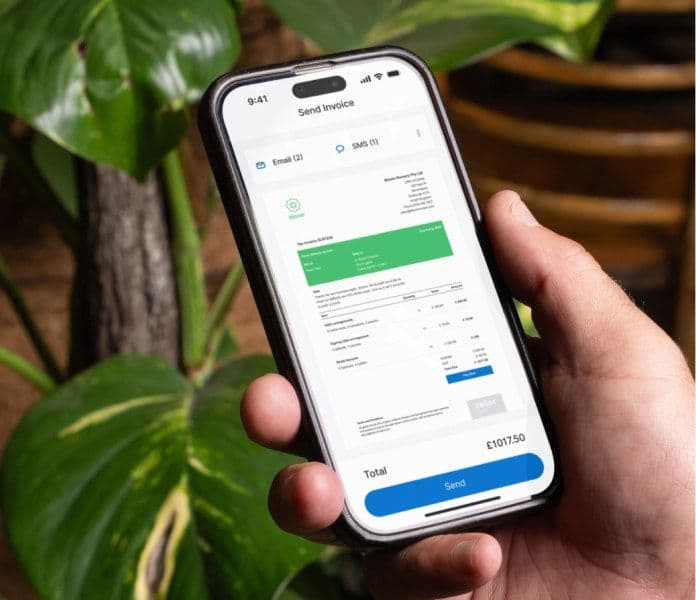
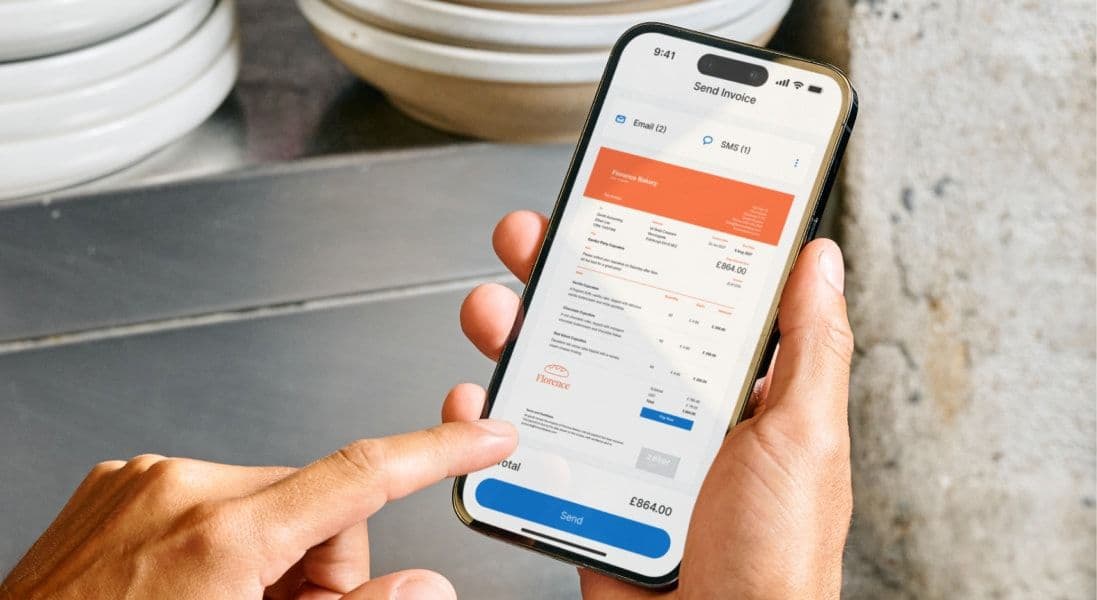
One of the big advantages of Zeller Invoices is that you can use it on your smartphone just as easily as you can on your computer, with all the same functionality. Let’s say you’re a sole trader, like a mobile mechanic or a plumber, and you’ve just finished a job for a client. You can simply pull out your phone, tap in the client’s details and send off the invoice before you even leave the site.
Get paid faster
As mentioned above, over 75% of Zeller Invoices are paid within just 24 hours, because Zeller Invoices make things extremely simple for both you and your clients. When you click ‘Send’ on a Zeller Invoice, your client instantly receives an email or SMS (or both) with a secure payment link. And the moment they pay, you receive an email and push notification.
Automatic invoice tracking and reminders
Ever forgotten to follow up on an invoice? Zeller Invoices makes it easy to see which invoices have been sent, and which have been paid. Even better, you can set up automatic payment reminders to politely remind clients who haven’t paid yet.
All-in-one business tool
Not only is Zeller Invoices free and easy to use, it also gives you instant access to other handy products like a Zeller Business Account, Zeller Dashboard and Zeller Debit Card. The Zeller product suite is a collection of free, powerful, industry-leading tools designed to make running your business more efficient.
Start using Zeller Invoices, for free, today.
In short, Zeller Invoices takes the hard work out of invoicing. It ensures your invoices are professional, compliant with tax
requirements, and it helps to get you paid faster. Why not create an account and send yourself a test invoice now?